
Enterprise Architect SaaS

Work from anywhere on fast and secure Cloud EA environments

Enterprise Architect SaaS

Work from anywhere on fast and secure Cloud EA environments

Enterprise Architect SaaS

Work from anywhere on fast and secure Cloud EA environments
EA Saas Cloud Platform Person Using EA Saas Cloud Platform EA Saas Cloud Platform - Background Highly Secured EA Saas Cloud Platform Highly Secured EA Saas Cloud Platform
Support

Trusted By 1M+ Users Worldwide

Understanding EA SaaS

What Is EA SaaS?

EA SaaS is a cloud-based version of Sparx Enterprise Architect (Sparx EA), a well-known and proven modeling tool. With a user base of nearly 1million worldwide, one of its key features as an Enterprise Architect Software as a Service (EA SaaS) is collaborative modeling, enabling users to initiate architecture modeling without encountering any infrastructural or operational complexities.

☁︎
In the past, setting up Enterprise Architect (Sparx EA) required installing it on individual machines and connecting to a remote database or a cloud repository. This process involved significant effort in terms of infrastructure provision, software setup, and database maintenance.
☁︎
However, with more teams moving to a ‘Cloud Only’ strategy, the ‘On Premises’ setup is becoming a thing of the past. This can be attributed to the introduction of EA SaaS.
☁︎
The EA SaaS allows users to get onboarded and start working almost instantly.
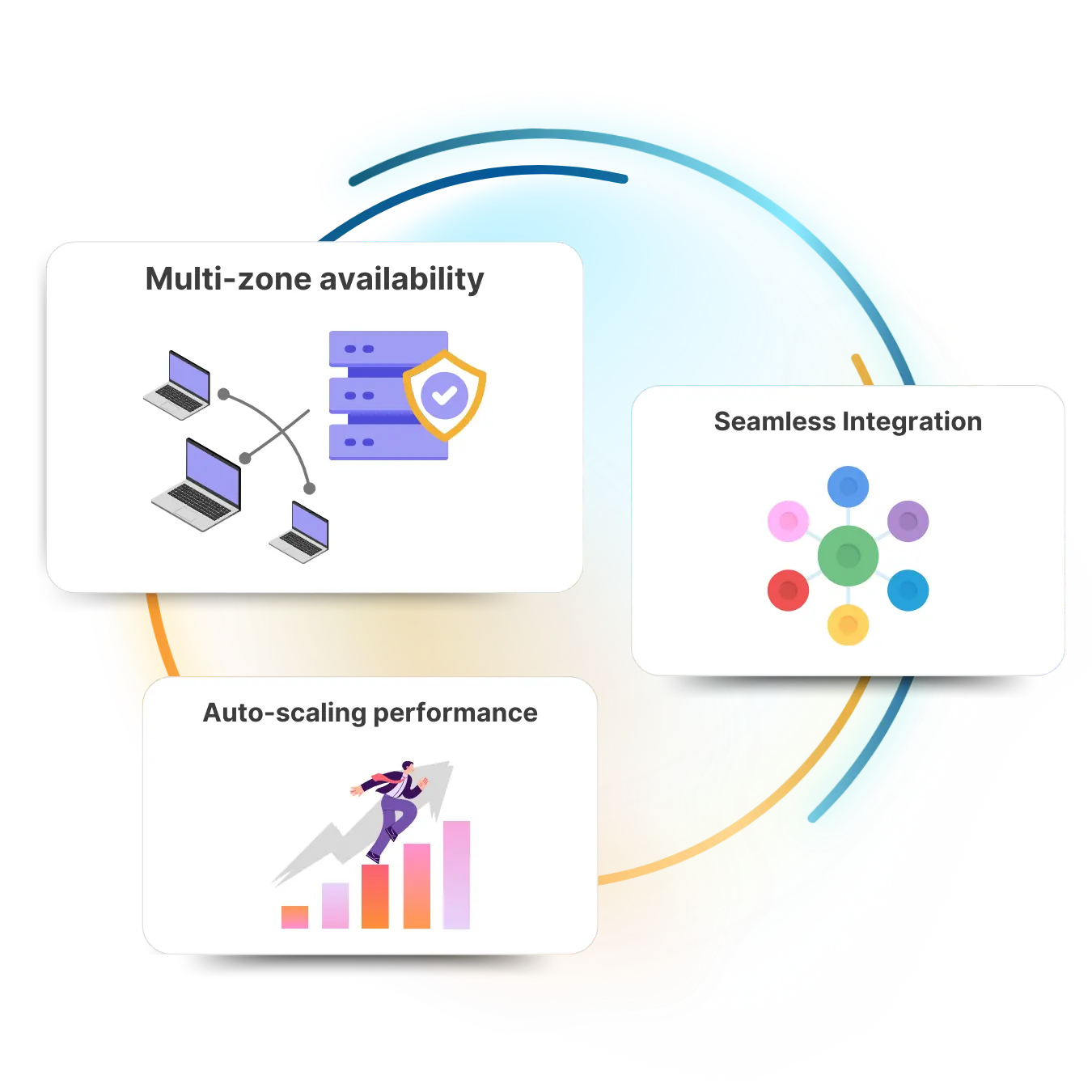
Understanding EA SaaS Features
Use Cases

EA SaaS Who is this for?

Sparx Enterprise Architect is widely used by teams of varying size and complexity.

Flexible Deployment Options with an option to try and scale allows EA SaaS to be a suitable fit for both Small and Large EA Teams.

Individuals Small Teams Large Teams
EA Use Cases - Individuals
EA Use Cases - Small Team
EA Use Cases - Individuals Large Teams
Play Video
Features

What is in EA SaaS Deployment

EA Repository and License Management

Central repository with optimized settings to give the best performance for the chosen Database type

Floating Licences are managed in the cloud to allow access from anywhere.

Single Sign On

Setting Up a smooth single sign-on across multiple components requires a complex setup across multiple protocols (SAML, Okta, LDAP, etc)

Refined Setup Practices

Capacity planning and setup based on an in-depth understanding of Enterprise Architect Application Usage

Pre-Migration Validation and Planning

Years of experience in setting up EA practice are now incorporated in choosing the right infrastructure and migration strategy for a better EA SAAS deployment.

Service Features

Benefits of EA SaaS

EA Saas Benefits Chart

Access From
Anywhere

⦿ Access and utilize it from any compatible browser without the need for installation
⦿ Flexibility to Work from anywhere, with any device

Scalability

⦿ Utilization-based scalability of performance
⦿ Business and Operational Agility

No Updates or Installations Required

⦿ All software setup, maintenance, and patch management are handled by experts
⦿ Access to the latest and stable version

Cost Savings

⦿ In-house IT expenses
⦿ Operational Cost Certainty
Service Packs

Enterprise Architect SaaS – Editions

Based on the varying needs of the Sparx EA users, we have designed 3 options to get started with ‘EA SaaS’

EA SaaS – Business Edition

INDIVIDUALS, SMALL TEAMS

EA SaaS – Enterprise Standard Edition

MEDIUM TO LARGE TEAMS

EA SaaS – Enterprise Premium Edition

ENTERPRISES WITH ADVANCED EA USAGE AND EXTENDED UTILITIES

EA-SaaS-Full-logo-inverted
☁︎
EA SaaS Enterprise Standard and Premium Edition Floating license will be supported up to 3 time of the user purchased
☁︎
A recommended minimum user count of 5 users is required to set up an Enterprise Standard edition and a recommended minimum of 10 users are needed to set up an Enterprise Premium edition (with SSO). Teams with less than 5 users may consider going with the EA SaaS Business User edition. Nevertheless, the Enterprise editions can also be set up to support SSO at an additional cost when the user count is below recommendation.
☁︎
Terms and Conditions apply

Custom Quote

Want to customize the cloud solution as per your requirements?

Custom Quote for EA Saas
How it Works

What is required to get started with the Cloud Platform

To facilitate collaborative modeling through Enterprise Architect over a central repository and distributed modeling, teams must select an appropriate ‘EA SaaS edition’ and the corresponding ‘EA Infrastructure’.

☁︎ Business Edition
☁︎ Enterprise Standard Edition
☁︎ Enterprise Premium Edition
01
EA Saas Plans
☁︎ Central Repository Pro Cloud Server
Including Floating License Manager
02
Central Repository Pro Cloud Server
☁︎ Enterprise Architect Cloud Platform
03
Enterprise Architect Cloud Platform

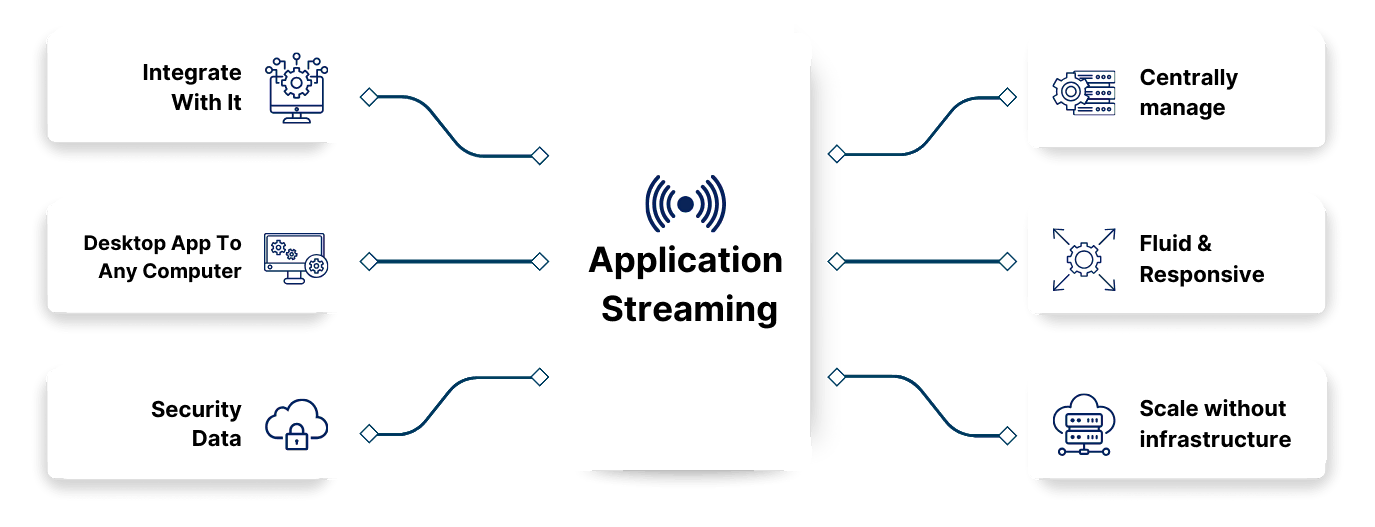
The “EA SaaS” is a service that allows you to use Sparx Enterprise Architect through a web browser. On the other hand, the “EA infrastructure” comprises the central repository and all associated components, including the Floating License Manager and remote HTTPS access setup, among others.

How it Works

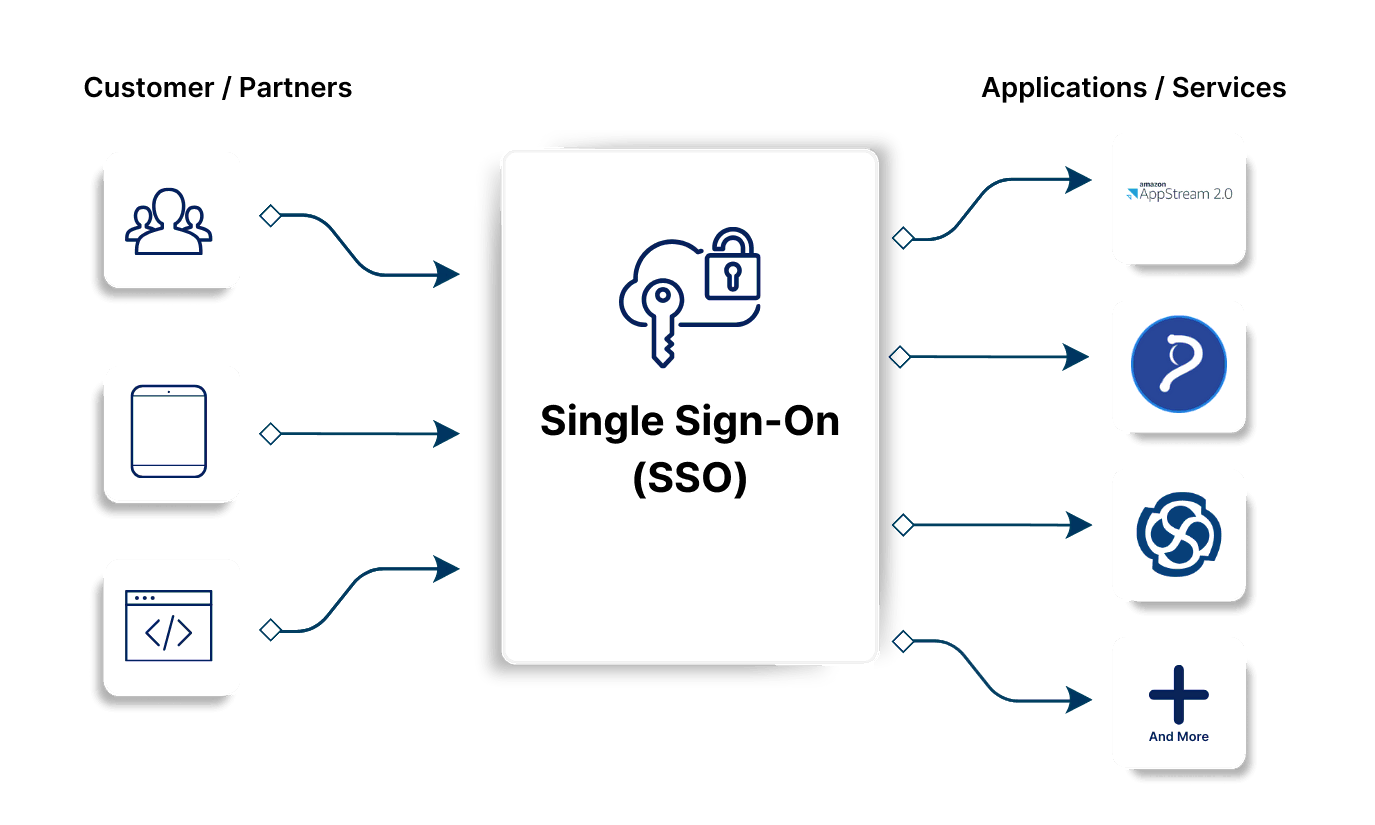
Seamless user experience with SSO

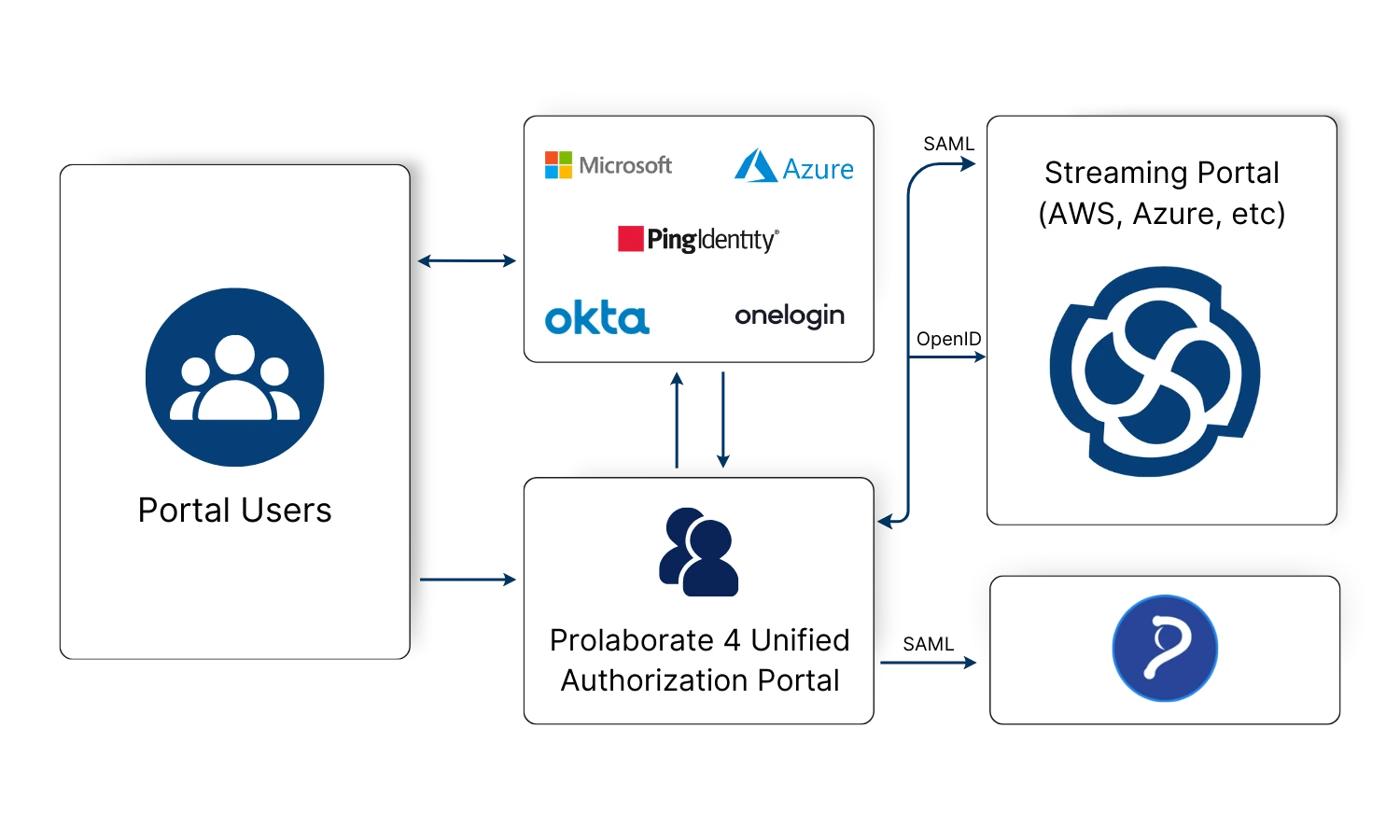
The platform integrates with your organizations Single sign-on (SSO), and allows hassle less and secure access to all tools in the Sparx platform (EA, Prolaborate,  etc) from a single URL. 

Why SSO EA SaaS Unified Authentication portal
Enterprise SSO Implementation Chart

An Enterprise SSO Implementation takes into consideration

  • Corporate Security – Password policies
  • Two Factor Authentication (2FA) implemented at the SSO layer
  • Joiner, Leaver process – all users are managed centrally in the SSO setup
  • Access Controls and Restrictions – Group-level policies set at the Enterprise level to ensure Role Based Access Control
EA SaaS Unified Authentication portal Chart

In today’s digital era, where remote work is prevalent, it is crucial for any solution to align with the organization’s User Management system and policies. The Sparx platform consists of various elements, requiring users to log in multiple times to access specific repositories based on their assigned roles.

Nevertheless, the ‘EA SaaS’ unified Authentication Portal offers a streamlined User Experience by reducing the authentication process to just one step. Once authenticated through the Enterprise authentication method, the EA SaaS application takes care of granting user access to the desired tool.

Awesome features

Some key parameters (not limited to) are

Security Parameters

Security Parameters

◈ Application Load Balancers (ALB)
◈ Web Application Firewall (WAF)
◈ Password Vaults
◈ VPN Tunnelling
◈ IP Whitelisting
◈ 24 x 7 Monitoring with alerts on service disruption

Performance Parameters

Performance Parameters

◈ Data transfer rate
◈ Database IOPS rate
◈ Application Server (EC2) Sizing
◈ Database (RDS) sizing

Other Parameters

Other Parameters

◈ Backup Frequency
◈ Premium Support

Compliance

Sixth Force’s cloud products have all the necessary security compliance to guarantee that they pass your organization’s security audits. 

Independent Auditors continually check the cloud offerings for compliance, security, and privacy; 

AWS Security Compliance
AICPA Compliance

100% Compliant with SOC2 Type 2

100% VPC Compliance for Cloud Infrastructure

100% Compliance with CIS AWS Foundations Benchmark

100% Compliance with AWS Foundational Security Best Practices

Users Debate

Frequently Asked Questions

Enterprise Architect SaaS is a cloud-based version of the Enterprise Architect tool, providing a fully managed, scalable, and secure environment for business modeling and design.

Choose from Professional, Team, Corporate, and Ultimate editions based on your team size and project complexity. Visit our pricing page for a detailed comparison.
Your data is protected with robust security measures, including encryption, secure access controls, regular backups, and compliance with GDPR and ISO standards.

Sign up for a free trial or choose an edition, set up your cloud environment, and start exploring. For assistance, visit our support center or contact our support team.


Articles

Our Latest Blog

Enterprise Architect Cloud Infrastructure

The Enterprise Architect Cloud Infrastructure is also an essential component to enable the cloud platform for collaborative modeling.

The infrastructure varies based on end users security and performance requirement. Various parameters are considered when designing the appropriate infrastructure to meet the users requirements